What made compatibility important enough to place beside the download?
How BendMac changed, before and after.
BendMac made hardware compatibility visible before download.
Apple silicon Apple silicon MacBooks, plus a model check
bendmac.app
Loading both captures…
Use arrow keys to compare. Home shows before; End shows after.Before & afterDrag to compare
01 / What changed
BendMac made hardware compatibility visible before download.
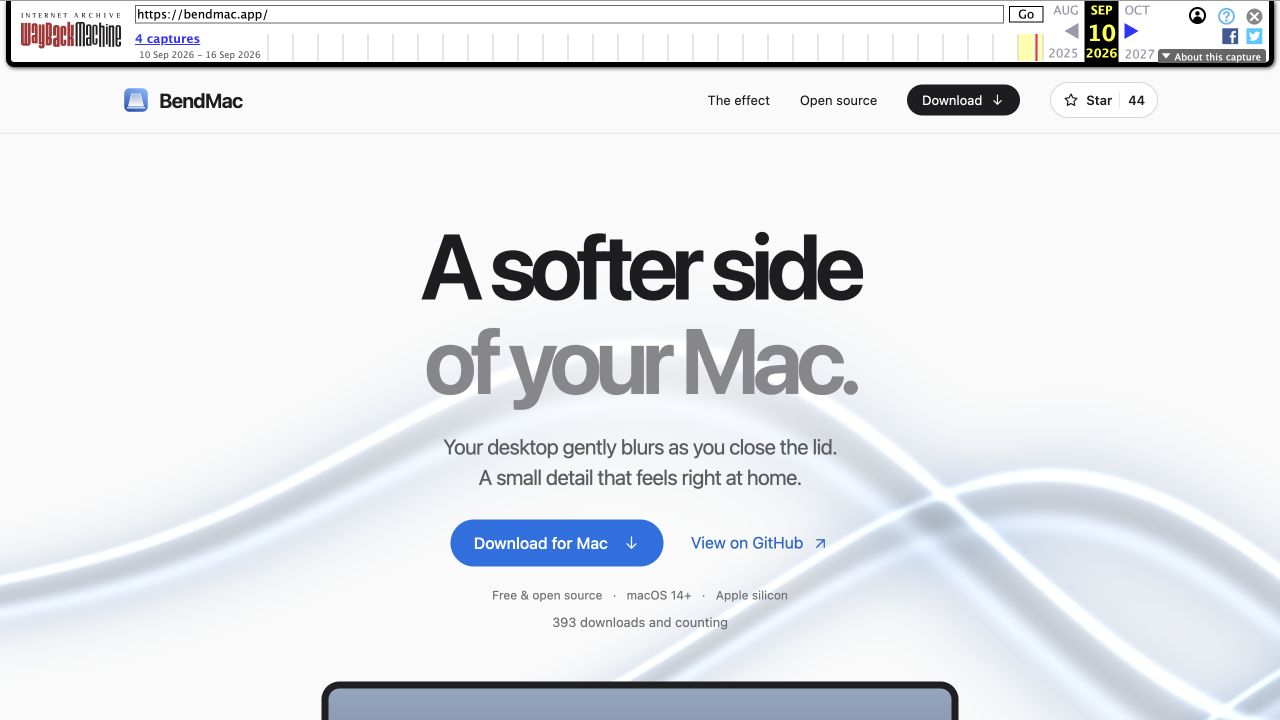
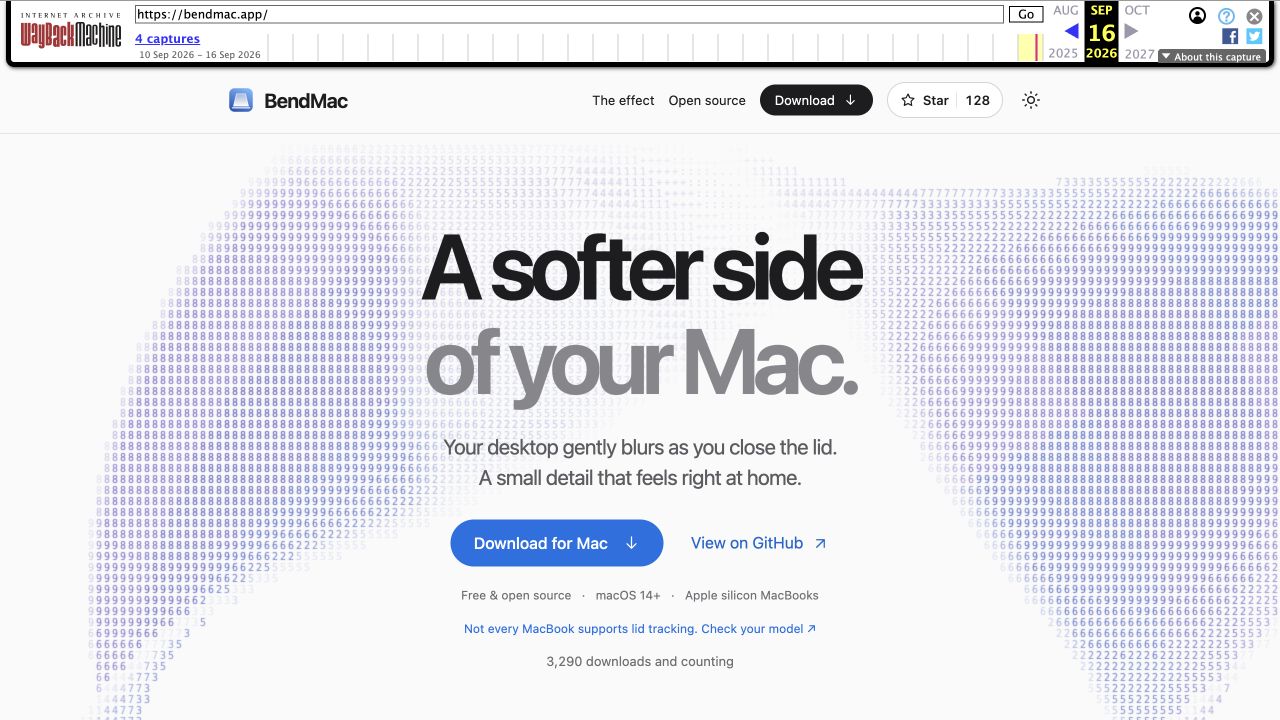
The download area changed Apple silicon to Apple silicon MacBooks and added a warning that not every MacBook supports lid tracking, with a link to check the model.
BeforeApple silicon
AfterApple silicon MacBooks, plus a model check
The archive captures show when each version was saved, not the exact release time. They do not establish how many people encountered a compatibility problem.
Set a hardware expectation at the decision point.
Our reading: putting compatibility beside the download action helps people check whether the effect can work on their Mac before installing it. The maker has not said that model reports caused this exact edit.
BeforeA broad chip requirement.
Apple silicon identifies a processor family, while leaving lid-angle support implicit.
AfterA model-level check.
The new line makes the sensor constraint visible and gives visitors a next step.
Sep 10, 2026
Needs a supported lid-angle sensor. PRs and model reports welcome!
This establishes that sensor support and model reports were already on the maker’s mind before the first capture. It does not explain the later website edit or identify its author by name.
Read the post on XWhat happened after the change?
THE OPEN QUESTION
Did the compatibility warning reduce unsupported installs or bring in useful model reports?
We need BendMac maker’s perspective to connect this change to the results.We don’t have the results yet.
What would you ask BendMac maker?
Go deeper into this decision. Ask the maker, or share this page with your audience.
About: What changed
Q&A · THE CONVERSATION
Ask BendMac maker about this change.
The story does not have to end here. What would help you learn from this decision?
Questions for BendMac makerMaker, BendMac · No replies here yet
Questions
3Which model reports changed how you explain hardware support?
How would you measure whether the warning is helping?